> For the complete documentation index, see [llms.txt](https://wp.verylabs.io/llms.txt). Markdown versions of documentation pages are available by appending `.md` to page URLs; this page is available as [Markdown](https://wp.verylabs.io/verychain/node-driven/node-driven-macos.md).

# Node-driven(macOS)

## Server (PC) Basics&#x20;

* The installation must be performed in an internet-enabled environment
* Recommendations

  CPU: 4Core or faster \
  Memory: 16GB or more \
  Disk: 500GB or more (SSD recommended)&#x20;

## Download Client (Apple Silicon Only)

{% file src="/files/EOsMO6smm4rdliSnBHv3" %}

## How to Install

* **Unzip**\
  After unzipping, you'll find the following three files\
  ![](https://content.gitbook.com/content/9EJKm4MWc99wv6C4AOqx/blobs/3RxsmXOxobRhZRRc4ng5/image.png)
* **Insert private key**\
  After completing KYC, we will send you a private key via email. Please enter the received private key into the " " of the key.json file under src folder with \[text editor] and save the file. The private key is matched with the buyer's VERY distribution wallet address, so VERY is safe even if the private key is stolen.<br>

  <figure><img src="/files/B9BPV7H9H0wnCo7CkdT1" alt=""><figcaption></figcaption></figure>
* **Run**\
  Once you've entered and saved your private key, click the VERY icon to run it.

## Handling unauthenticated app exceptions

Since the node program is not authenticated on macOS, the "unverified developer" exception must be thrown to complete node mining.

![](/files/T7w2EroD7c13XGaXW3ai)

* Very File : System Settings > Privacy & Security > Application not registered by a verified developer... "Open anyway"

  <figure><img src="/files/wgOHv4WTqzOEmc5eJwm2" alt=""><figcaption></figcaption></figure>

* Click the modal "Open"

  <div align="left"><figure><img src="/files/f7Q0nE3yKAvKC6vLoK7k" alt="" width="328"><figcaption></figcaption></figure></div>

* Next click on the modal "Cancel"

  <div align="left"><figure><img src="/files/F22FkBrW491f4hJUfunj" alt="" width="328"><figcaption></figcaption></figure></div>

* Client File : System Settings > Privacy & Security > Application not registered by a verified developer... "Open anyway"

  <figure><img src="/files/Yv2HLFIipVPsJwShplLo" alt=""><figcaption></figcaption></figure>

* Click the VERY executable

  <div align="left"><figure><img src="/files/VkBf8IK8kXK86049OCf7" alt="" width="328"><figcaption></figcaption></figure></div>

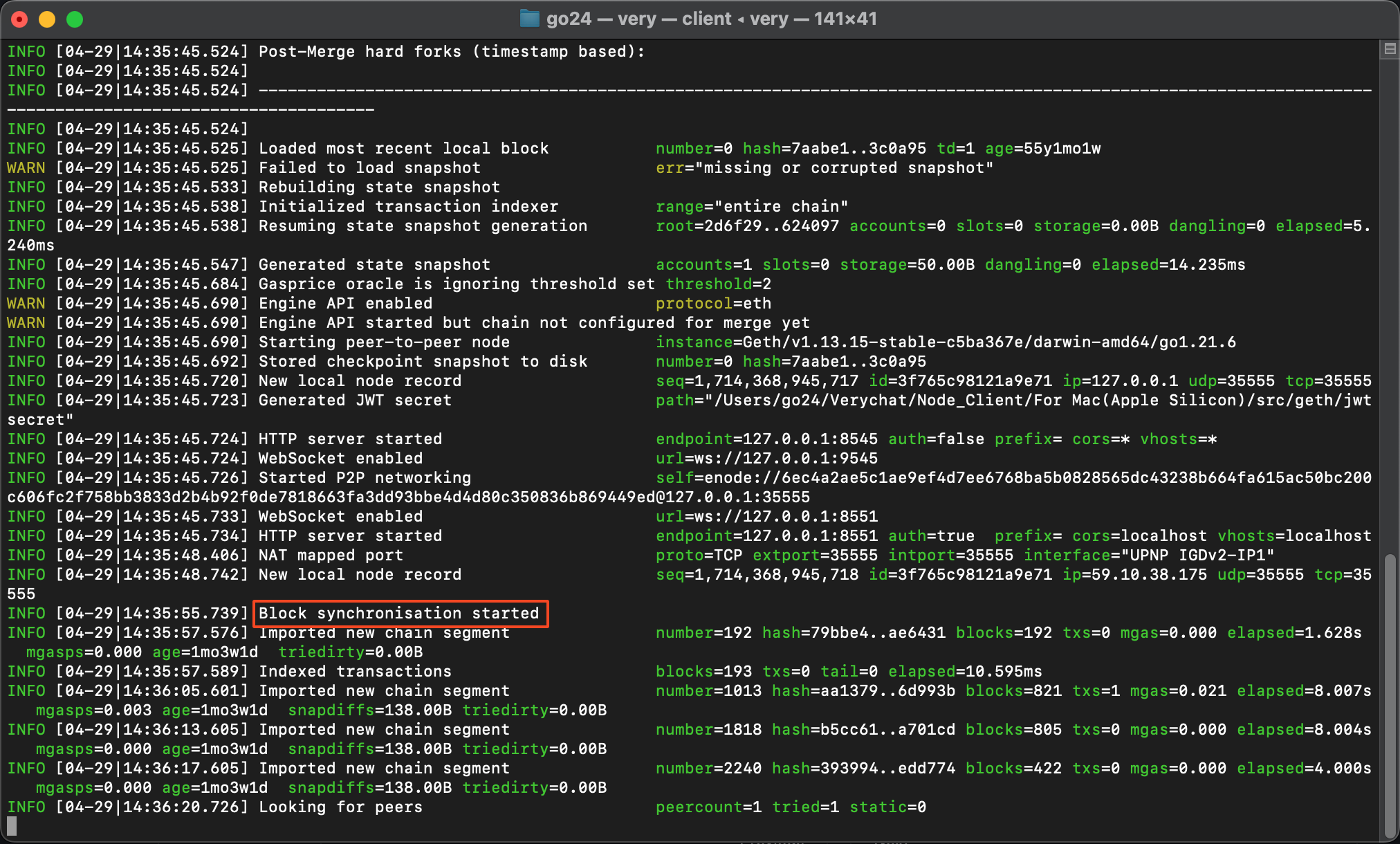
* **Node up and running**

<div data-full-width="true"><figure><img src="/files/yOtxuhtOK6uPZ6VRjL6s" alt=""><figcaption></figcaption></figure></div>

{% hint style="info" %}
If you see the phrase Block synchronization started, the node is running normally. The Proof of Node reward will start when the number=xxxx is equal to the current block generation number. (Sync complete) The more powerful the PC, the faster the sync completes.
{% endhint %}


---

# Agent Instructions
This documentation is published with GitBook. GitBook is the documentation platform designed so that both humans and AI agents can read, navigate, and reason over technical content effectively. Learn more at gitbook.com.

## Querying This Documentation
If you need additional information that is not directly available in this page, you can query the documentation dynamically by asking a question.

Perform an HTTP GET request on the current page URL with the `ask` query parameter, and the optional `goal` query parameter:

```
GET https://wp.verylabs.io/verychain/node-driven/node-driven-macos.md?ask=<question>&goal=<endgoal>
```

`ask` is the immediate question: it should be specific, self-contained, and written in natural language.
`goal` is optional and describes the broader end goal you are ultimately trying to accomplish on behalf of the user. GitBook uses it to tailor the answer towards what is most useful for that goal.

The response will contain a direct answer to the question and relevant excerpts and sources from the documentation.

Use this mechanism when the answer is not explicitly present in the current page, you need clarification or additional context, or you want to retrieve related documentation sections.