> For the complete documentation index, see [llms.txt](https://wp.verylabs.io/llms.txt). Markdown versions of documentation pages are available by appending `.md` to page URLs; this page is available as [Markdown](https://wp.verylabs.io/japanese/mainnet-layer1/ndomacos.md).

# ノード駆動(macOS)

### サーバー(PC)の基本事項

1. インターネットが可能な環境でインストールを行う必要があります。
2. 推奨事項
   1. CPU: 4Core以上
   2. Memory: 16GB以上
   3. Disk: 500GB 以上(SSD推奨)

## Download Client (Apple Silicon Only)

{% file src="/files/UkdCKaCRizYEVaSqUarU" %}

## 設置方法

* **解凍する**\
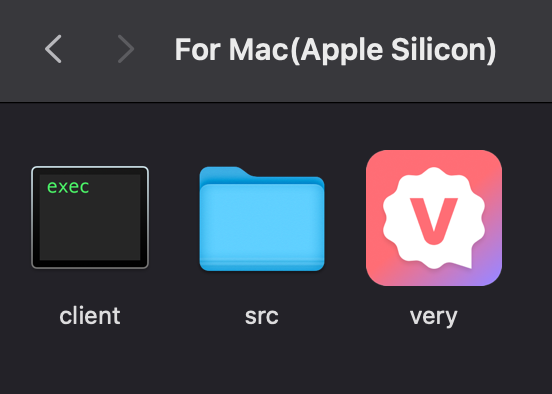
  解凍すると下記の3つのファイルがあります。
  <div align="left" data-full-width="false"><figure><img src="/files/bWd95wECVd5LBVod9dqr" alt="" width="276"><figcaption></figcaption></figure></div>
* **秘密鍵の挿入**\
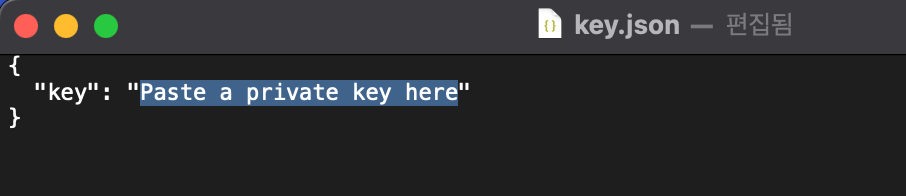
  KYCが完了すると、秘密鍵をメールでお送りします。 受け取った秘密鍵を\[テキストエディタ]でsrcフォルダの下のkey.jsonファイルの " "内に入力してファイルを保存してください。 プライベートキーには購入者のVERY配布ウォレットアドレスがマッチしているので、プライベートキーが盗まれてもVERYは安全です。<br>

  <figure><img src="/files/oomtFdcshXimwurmahke" alt=""><figcaption></figcaption></figure>
* 実行\
  プライベートキーを入力して保存したら、VERYアイコンをクリックして実行します。

  <div align="left"><figure><img src="/files/bWd95wECVd5LBVod9dqr" alt="" width="276"><figcaption></figcaption></figure></div>

## 認証されていないアプリの例外処理

ノードプログラムはmacOSで認証処理がされないため、「未確認の開発者」例外処理を行わないとノードマイニングが完了しません。\
\
![](/files/u21ppq0pBBL2hAoGMOPk)

* システム設定 > 個人情報保護とセキュリティ > 確認された開発者が登録したアプリケーションではない... "それでも開く"<br>

  <figure><img src="/files/2iulGnerfTCKORZRKscR" alt=""><figcaption></figcaption></figure>
* モーダルウィンドウ\
  ![](/files/h9GIEcf31mzlBf21kVS4)\
  ![](/files/cJQYWpPLHcqs5LaJa4cz)<br>
* システム設定 > 個人情報保護とセキュリティ > 確認された開発者が登録したアプリケーションではない... "それでも開く"

  <figure><img src="/files/XHez3pzHuqgXca57qv7K" alt=""><figcaption></figcaption></figure>
* VERY実行可能ファイルをクリック\
  ![](/files/YUuDtJnvnExLcRelupxV)<br>
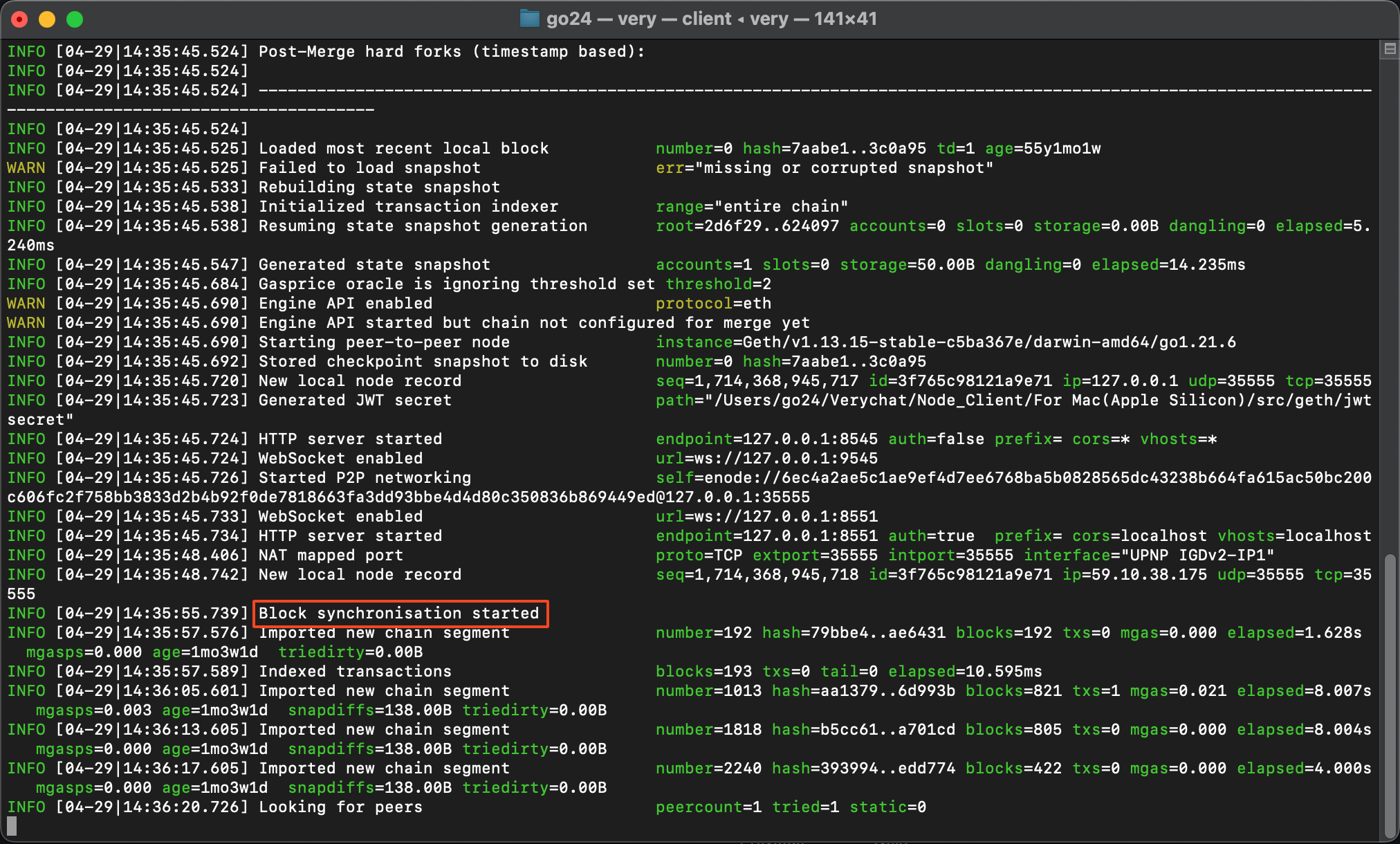
* ノード駆動完了

  <figure><img src="/files/fepR1nkwb3VN1HI1YRkq" alt=""><figcaption></figcaption></figure>

{% hint style="info" %}
Block synchronisation started라는 문구가 보이면 정상적으로 노드가 실행중인 상태입니다.\
노드 증명 보상은 number=xxxx 숫자가 현재 블록 생성번호와 동일할때 보상이 시작됩니다. (싱크완료)\
고성능의 PC일수록 싱크가 빨리 완료 됩니다.
{% endhint %}


---

# Agent Instructions
This documentation is published with GitBook. GitBook is the documentation platform designed so that both humans and AI agents can read, navigate, and reason over technical content effectively. Learn more at gitbook.com.

## Querying This Documentation
If you need additional information that is not directly available in this page, you can query the documentation dynamically by asking a question.

Perform an HTTP GET request on the current page URL with the `ask` query parameter, and the optional `goal` query parameter:

```
GET https://wp.verylabs.io/japanese/mainnet-layer1/ndomacos.md?ask=<question>&goal=<endgoal>
```

`ask` is the immediate question: it should be specific, self-contained, and written in natural language.
`goal` is optional and describes the broader end goal you are ultimately trying to accomplish on behalf of the user. GitBook uses it to tailor the answer towards what is most useful for that goal.

The response will contain a direct answer to the question and relevant excerpts and sources from the documentation.

Use this mechanism when the answer is not explicitly present in the current page, you need clarification or additional context, or you want to retrieve related documentation sections.